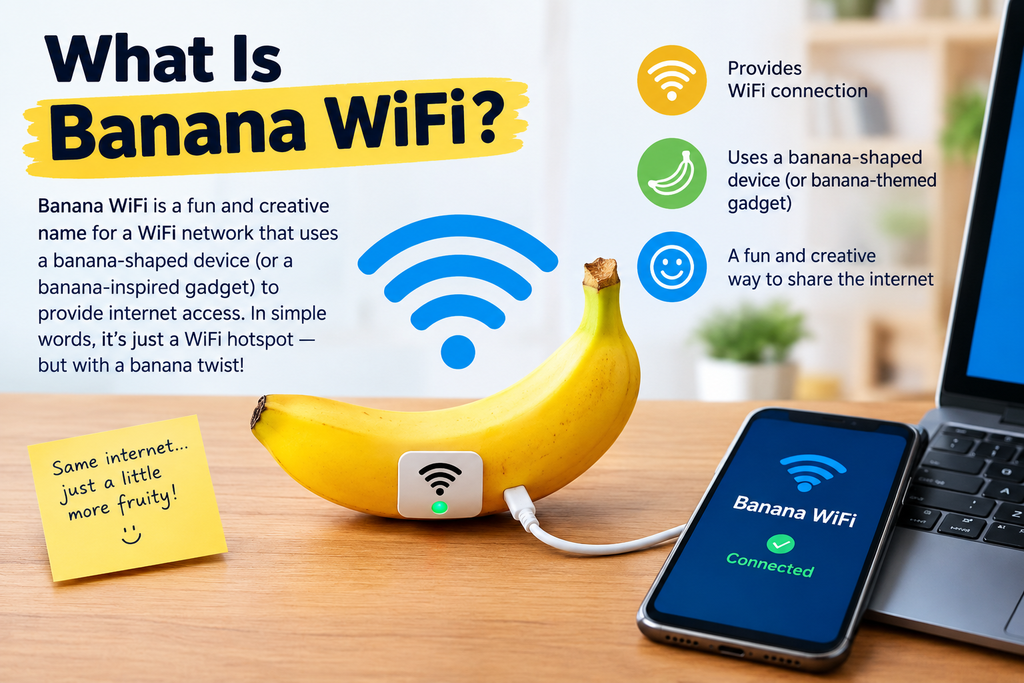
The phrase Banana WiFi can refer to wireless networking hardware associated with the Banana Pi open-source hardware ecosystem rather than a single universal WiFi service or network. Banana Pi produces single-board computers, router boards, wireless modules, and networking products that can be used to create customized wireless networks. Current Banana Pi materials list dedicated WiFi router products, including WiFi 6 hardware, while the company’s broader router lineup includes newer WiFi 7-oriented boards as well. (Banana Pi)
That distinction matters because someone searching for “banana wifi” might expect to find a particular internet provider, hotspot, or public WiFi network. In practice, the term is more closely connected with hardware and networking projects. One especially interesting example is the Banana Pi BPI-WiFi6 Router, which uses a Triductor TR6560 processor and TR5220 wireless chipset and supports the 802.11ax WiFi 6 standard. The official product information says the platform supports access-point and station modes as well as WPA, WPA2, and WPA3 security. (Banana Pi)
The idea becomes easier to understand if you think of Banana Pi as a small, flexible computer platform. Instead of buying a sealed consumer router where most of the hardware and software decisions have already been made, enthusiasts can use an open hardware board as the foundation for a networking project. That makes Banana WiFi particularly interesting to students, developers, network enthusiasts, makers, and people who enjoy experimenting with open-source networking software.
Why the Name “Banana WiFi” Can Be Confusing
“Banana WiFi” is not necessarily the name of one standardized technology. Search results can point toward several different things involving bananas and wireless communication, including Banana Pi networking hardware and experimental agricultural monitoring systems that use WiFi to track banana quality. For example, a recent research-oriented system described environmental sensors connected to an ESP32 and WiFi for monitoring banana storage conditions. (Ministry of Agriculture)
For networking purposes, however, Banana Pi WiFi hardware is the most useful interpretation. Banana Pi has an established family of router boards and wireless modules, including products supporting WiFi 6 and newer hardware associated with WiFi 7. Its official ecosystem also connects these boards with applications such as routers, wireless repeaters, home gateways, network storage, and home automation. (Banana Pi)
Understanding the terminology prevents a common mistake: assuming that “Banana WiFi” is automatically a special type of WiFi. It isn’t. WiFi remains the wireless networking technology, while Banana Pi is a hardware platform that can implement that technology. Think of WiFi as the language devices use to communicate and Banana Pi as one of the computers that can provide the equipment needed for that conversation.
Banana Pi and Wireless Networking
Banana Pi has built a significant portion of its hardware ecosystem around open-source computing and networking. Its boards can be used for applications ranging from basic computing to sophisticated router and gateway projects. The BPI-R3, for example, is listed as an open router development board with WiFi 6 support, multiple Ethernet interfaces, SFP connectivity, memory, storage, and expansion interfaces. (Banana Pi)
This flexibility is one reason the platform attracts networking enthusiasts. A normal consumer router generally focuses on convenience: connect the cables, enter a password, and start browsing. An open router platform takes a different approach. It gives the user more control over hardware, operating-system choices, network configuration, storage, expansion, and software.
Banana Pi WiFi Router Technology
The Banana Pi BPI-WiFi6 Router is one of the clearest examples of what people may mean when they search for Banana WiFi. According to the manufacturer’s current product page, it uses a dual-core ARM Cortex-A9 processor running at up to 1.2 GHz and supports WiFi standards through IEEE 802.11ax. It also supports dual-band operation, with 2.4 GHz and 5 GHz wireless connectivity, and includes features such as hardware QoS and PoE support. (Banana Pi)
The published maximum wireless figures are considerably higher than what many older WiFi standards offered. The manufacturer lists up to approximately 573.5 Mbps on 2.4 GHz and 2,401.9 Mbps on 5 GHz under its stated configuration. These are theoretical or PHY-level figures rather than guarantees of real-world internet speed, because actual throughput depends on the client device, channel conditions, interference, distance, network configuration, and internet connection. (Banana Pi)
The board also supports several operating modes. AP mode allows it to provide wireless network access, while STA mode allows it to operate as a wireless client. This distinction becomes useful when designing more advanced networks because the same general hardware concept can participate in a network in different ways.
WiFi 6 and Modern Wireless Standards
WiFi 6, formally associated with IEEE 802.11ax, was designed to improve wireless performance in environments where many devices compete for airtime. Instead of focusing only on peak theoretical speed, newer WiFi generations also emphasize efficiency, capacity, and better handling of crowded networks.
Banana Pi’s networking lineup now extends beyond WiFi 6 as well. The company’s current product listings include BPI-R4 Pro and BPI-R4 Lite boards described as WiFi 7 router development platforms. (Banana Pi)
That progression shows why the phrase “Banana WiFi” can cover several generations of hardware. A person researching the topic should always check the exact Banana Pi board rather than assuming every Banana Pi router has identical wireless capabilities.
How Banana Pi WiFi Routers Work
At a basic level, a Banana Pi router works like other network gateways. A wired internet connection enters the device, the router processes network traffic, and compatible devices communicate with it wirelessly. The major difference is the amount of control available over the hardware and software.
A router needs several important components to perform this job. The processor handles network-management tasks, the Ethernet interfaces connect wired networks, the wireless chipset handles radio communication, and firmware provides the software environment that controls the system. Depending on the board, additional storage, memory, USB interfaces, PCIe connections, or expansion slots can make the platform suitable for more specialized projects.
Banana Pi’s BPI-R3 demonstrates this broader approach. The board combines a MediaTek Filogic 830 platform with WiFi 6, multiple gigabit Ethernet ports, 2.5GbE SFP interfaces, memory, storage, and expansion options. (Banana Pi)
This architecture makes a Banana Pi board more like a small networking computer than a simple wireless box. You can potentially use it as a router, gateway, repeater, home-automation controller, network-storage platform, or experimental networking device depending on the hardware and software configuration.
Key Features of Banana WiFi Hardware
One major attraction of Banana Pi networking hardware is the combination of wireless capability and general-purpose computing. A traditional router can certainly be powerful, but its design is usually centered around one consumer networking product. An open development board can provide additional interfaces and software flexibility that appeal to technical users.
Another important feature is support for modern wireless security. The BPI-WiFi6 Router product information lists WPA, WPA2, and WPA3 support. Security configuration remains important regardless of the router brand because a strong wireless network should use modern encryption, a strong unique password, updated firmware, and sensible administrative settings. (Banana Pi)
Speed, Bands, and Network Capacity
Wireless speed is one of the first things people notice when comparing routers, but it should never be the only measurement. A router advertised with a multi-gigabit wireless PHY rate will not automatically deliver that speed to every laptop or phone. Client hardware, signal strength, channel width, interference, antenna configuration, and the wired connection behind the router all influence actual performance.
The Banana Pi BPI-WiFi6 Router supports dual-band 2.4 GHz and 5 GHz networking. The manufacturer specifies a 2×2 configuration on 2.4 GHz and a 2×2 configuration with a 160 MHz channel on 5 GHz, with maximum PHY rates listed at 573.5 Mbps and 2401.9 Mbps respectively. (Banana Pi)
| Feature | Banana Pi BPI-WiFi6 Router |
| WiFi generation | WiFi 6 / IEEE 802.11ax |
| 2.4 GHz | Supported |
| 5 GHz | Supported |
| Security | WPA, WPA2, WPA3 |
| AP mode | Supported |
| STA mode | Supported |
| PoE | Supported |
| Maximum listed wireless rate | Up to about 3 Gbps combined PHY rate |
These specifications illustrate why the hardware can be useful for networking experiments. However, advertised maximum rates should be treated as technical limits rather than expected everyday internet speeds.
Banana WiFi and OpenWrt
One of the most interesting parts of the Banana Pi ecosystem is its relationship with open-source router software. OpenWrt is widely used in enthusiast networking because it provides a Linux-based environment designed for routers and network devices.
The Banana Pi family appears in OpenWrt’s hardware documentation, including router boards such as the R64, R3, R3 Mini, and R4. The OpenWrt hardware information lists different wireless generations and processor platforms across these boards. (OpenWrt)
This software flexibility can transform the role of a Banana Pi board. Instead of being limited to the features offered by a manufacturer’s standard firmware, an experienced user can configure services and networking functions through an open software environment. That can be particularly valuable for learning because it exposes concepts such as routing, firewall rules, VLANs, wireless interfaces, DHCP, DNS, and traffic management.
Of course, flexibility also creates responsibility. Open-source networking equipment requires users to understand what they are changing. A poorly configured router can create connectivity or security problems, so beginners should make changes carefully and keep backups of working configurations.
Banana WiFi for Home Networking
A Banana Pi router can be used as the foundation of a home network when its hardware and software meet the user’s requirements. A simple setup might involve an internet connection going into the router, wired devices connected through Ethernet, and phones or computers connecting through WiFi.
The benefit is not necessarily that Banana Pi will automatically make an internet connection faster. Your internet provider, subscription speed, modem, wiring, wireless environment, and client devices remain important. Instead, the appeal is control and customization.
For example, someone building a home lab could use a Banana Pi board to learn how routing works while experimenting with different network configurations. Another person might use it as a dedicated gateway or network-management device. More advanced projects can combine networking with home automation, storage, monitoring, or other services.
Banana WiFi for Small Offices and Projects
Small offices, classrooms, laboratories, and maker spaces can also benefit from flexible router platforms when the administrator has the technical knowledge to maintain them. The exact suitability depends heavily on the number of users, traffic patterns, security requirements, internet speed, and required features.
Banana Pi’s own descriptions identify applications such as internet-service routers, wireless routers, wireless repeaters, home security gateways, home automation, NAS systems, and network communications for the BPI-R3. (Banana Pi)
That variety is important. A single board does not have to perform only one job. With suitable software, hardware interfaces, and configuration, it can become part of a broader networking system.
Banana WiFi vs Traditional Routers
The biggest difference between Banana Pi networking hardware and an ordinary consumer router is the design philosophy. A traditional router is usually built around convenience and a polished user experience. Banana Pi hardware is more oriented toward customization, experimentation, and development.
| Category | Banana Pi Router Platform | Typical Consumer Router |
| Hardware flexibility | Generally high | Usually limited |
| Software customization | Often high | Varies |
| Open-source experimentation | Strong focus | Usually less central |
| Plug-and-play setup | Depends on project | Usually easier |
| Learning potential | High | Moderate |
| Expansion options | Often available | Usually limited |
| Target audience | Makers, developers, enthusiasts | General consumers |
Neither approach automatically fits every situation. Someone who wants a simple device with minimal configuration may prefer a conventional consumer product. Someone who wants to understand and customize networking may find an open router board more interesting.
Benefits and Limitations of Banana WiFi
The biggest advantage is flexibility. A Banana Pi board can provide networking functionality while also serving as a development platform. Its open hardware approach gives technically minded users more opportunities to experiment with operating systems, network services, and connected devices.
Another benefit is the range of networking interfaces available on some boards. The BPI-R3, for example, combines WiFi 6 with multiple Ethernet interfaces and 2.5GbE SFP connectivity. (Banana Pi)
The limitations are just as important. Open hardware does not always mean simple hardware. Users may need to understand firmware, operating systems, drivers, networking concepts, and configuration files. Accessories such as antennas, cases, power supplies, or storage can also affect the total cost and complexity of a project.
There is also a difference between maximum specification and real-world performance. A manufacturer may publish a multi-gigabit PHY rate, but a phone several rooms away will not necessarily achieve anything close to that figure. Network performance is always the result of the complete system rather than one specification printed on a product page.
How to Choose Banana WiFi Hardware
Choosing a Banana Pi networking board starts with identifying the actual goal. If the goal is simply to provide WiFi for a few devices, you may not need a development board with advanced interfaces. If the goal is to build a home lab, experiment with routing, or create a specialized gateway, additional Ethernet, storage, and expansion capabilities can become much more valuable.
The wireless generation should also be considered. Older Banana Pi products may use earlier WiFi standards, while newer boards provide WiFi 6 or WiFi 7 capabilities. Current Banana Pi listings include WiFi 7-oriented router development boards, while OpenWrt documentation shows multiple Banana Pi generations with different wireless capabilities. (Banana Pi)
Before choosing a board, check the exact processor, WiFi chipset, Ethernet interfaces, supported software, available documentation, power requirements, and physical form factor. Software compatibility can be just as important as the hardware specification. A powerful board is less useful for a project if the software you need does not support the required feature.
Conclusion
Banana WiFi is best understood as a search phrase associated with Banana Pi’s wireless networking hardware rather than a separate WiFi standard. Banana Pi offers router and development-board platforms covering different generations of wireless technology, including WiFi 6 and newer WiFi 7-oriented products. Its hardware can be used for routers, gateways, wireless projects, home labs, automation, and other networking applications. (Banana Pi)
The most interesting aspect of the platform is its balance between networking and computing. Instead of treating a router as a sealed appliance, Banana Pi makes it possible to explore what is happening inside the network. For learners and technical users, that can turn an ordinary WiFi connection into a practical lesson in networking, Linux, hardware, and open-source development.
The right board ultimately depends on the project. Understanding the wireless standard, processor, interfaces, software support, security features, and expected workload will help you choose the appropriate Banana Pi platform rather than selecting hardware based only on a headline speed.
FAQs About Banana WiFi
1. Is Banana WiFi a separate type of WiFi?
No. “Banana WiFi” is generally used to describe WiFi-related products or projects associated with Banana Pi. The actual wireless technology is based on established WiFi standards such as WiFi 6.
2. What is Banana Pi used for?
Banana Pi boards can be used for single-board computing, routers, wireless networking, home automation, network storage, IoT projects, and other development applications. The exact capabilities depend on the specific board.
3. Does Banana Pi support WiFi 6?
Yes. Several Banana Pi networking products support WiFi 6. The BPI-WiFi6 Router, for example, supports IEEE 802.11ax and dual-band 2.4 GHz/5 GHz wireless networking. (Banana Pi)
4. Can Banana Pi work with OpenWrt?
Yes. Banana Pi router hardware is represented in OpenWrt’s hardware documentation, including several models with different wireless and networking capabilities. (OpenWrt)
5. Is Banana Pi suitable for beginners?
It can be, especially for learning, but it is more hands-on than many plug-and-play consumer routers. Beginners can start with basic networking concepts and gradually explore more advanced configurations as they become comfortable with the hardware and software.